
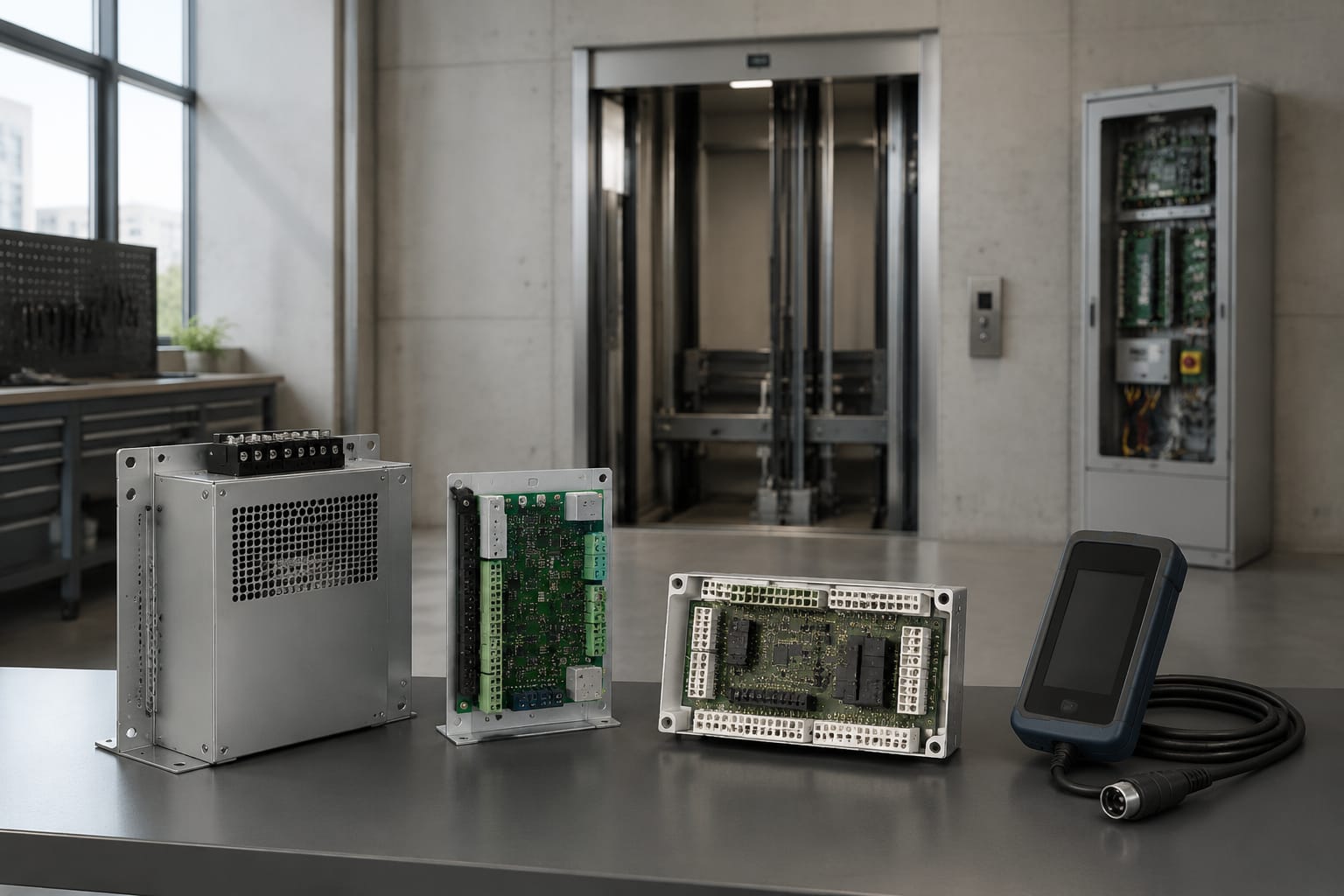
Selecting KONE spare parts starts with the exact elevator model and the identifier printed on the existing component. A product name alone is rarely enough for a reliable match. Record the unit model, controller information, OEM part number, board revision, electrical ratings, connector layout, and any software or communication markings before requesting a quote or approving a replacement.
For maintenance contractors and sourcing teams, the goal is not simply to find a similar-looking component. It is to confirm that the replacement will physically connect, communicate correctly with the existing system, and suit the equipment’s electrical configuration. Clear documentation reduces return risk, installation delays, and unnecessary troubleshooting in the field.
Start with the KONE elevator model
The elevator model and control-system details establish the context for every KONE replacement part decision. A door operator board, drive component, power supply, or communication module may appear similar across installations while using different connector arrangements, firmware, voltages, or controller networks.
Begin by collecting information from the equipment documentation and machine-room or controller labels. The most useful details typically include:
- Elevator model or equipment designation
- Installation or modernization project information, where available
- Controller model and cabinet designation
- Door operator model
- Drive or inverter model
- Existing component label information
- Equipment serial or identification number
- Clear photographs of the installed part and its connections
Do not assume that a building’s elevator model identifies every component inside the controller. Over the operating life of an elevator, modernization work, service replacements, and field modifications can introduce later revisions or alternate assemblies. The label on the component being replaced remains the most important reference.
For a communication-related issue, identify the shaft equipment, controller family, and the network connection points. A KONE shaft FCB communication board should be evaluated against the installed board’s code, revision, ports, and system application, rather than selected solely because the board category is correct.
Photograph the installed component before removal
Photos provide evidence that typed notes often miss. Take readable images of:
- The front and rear labels
- All edge connectors and terminal blocks
- Cable markings, plug keying, and wire positions
- DIP switches, jumpers, or configuration labels
- The board or module in its installed location
- Any visible damage, corrosion, heat discoloration, or repairs
For electronic boards, include a photo of the complete assembly as well as close-ups of identifying labels. Avoid relying on a photo that cuts off the revision code or connector side.
Find and record the part number
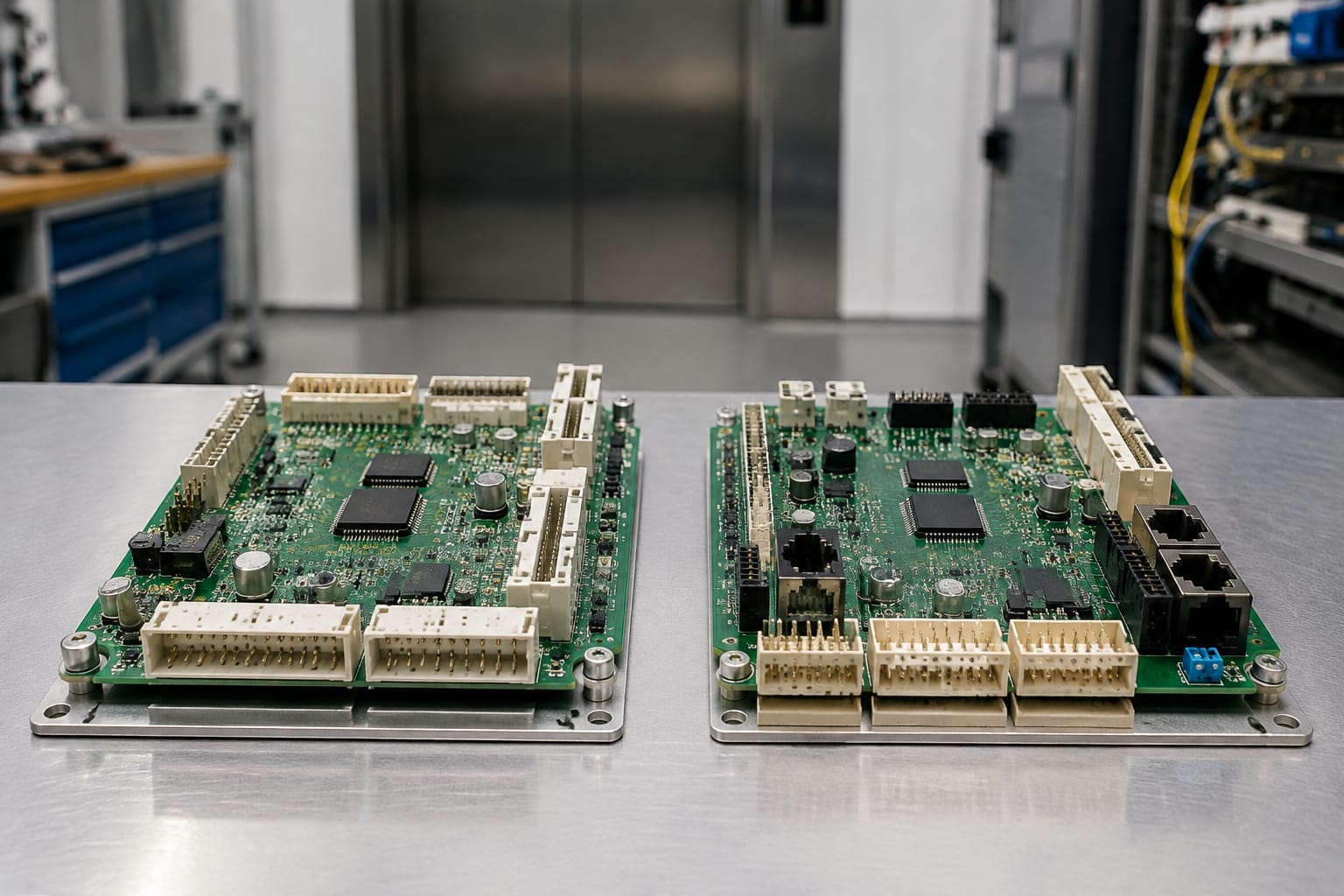
The OEM part number is usually the fastest route to narrowing a replacement. Look for a label, barcode, etched marking, sticker, or printed board code. A part may carry more than one number, so record all of them exactly as shown.
Useful identifiers can include:
| Identifier | Why it matters | What to record |
|---|---|---|
| OEM part number | Primary replacement reference | Full number, including prefixes and suffixes |
| PCB or board code | Identifies the circuit board itself | Printed code and manufacturing marking |
| Revision level | Distinguishes engineering changes | Revision, version, or issue number |
| Assembly number | May identify a completed module | Full assembly label |
| Serial number | Supports traceability | Serial number if visible |
| Date or lot code | Helps differentiate production runs | Code exactly as printed |
A missing suffix can matter. For example, two boards with the same base number may have different revisions, programmed configurations, input layouts, or communications hardware. Record hyphens, spaces, and letter endings rather than simplifying the number during a sourcing request.
Separate the board code from the assembly label
A common mistake is treating every number on a board as the orderable part number. A bare printed-circuit board code may identify only the board substrate, while the serviceable assembly has a separate label. Conversely, an enclosure or power box can have an assembly number that does not describe the individual board inside it.
When the correct identifier is unclear, provide both the printed board markings and all exterior labels. This gives a supplier enough information to compare the component at the appropriate level.
Avoid number-only matching when information conflicts
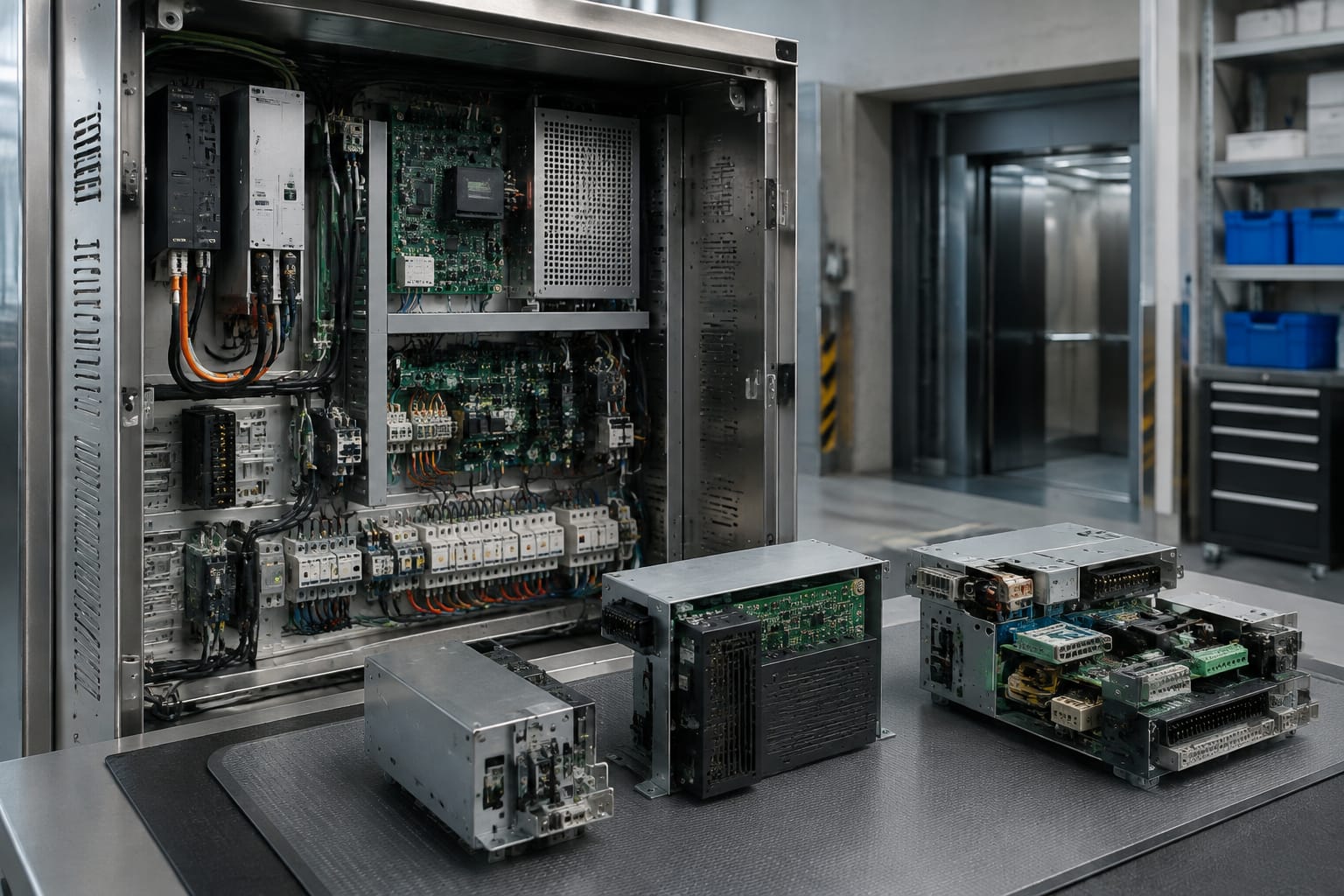
A part number should not override visible incompatibilities. If the replacement label matches but the voltage input, connector pin count, mounting points, or communication ports differ, pause the purchase. The number may be incomplete, misread, or associated with a related but non-interchangeable version.
Common KONE spare-part categories
KONE elevator spare parts span electrical, mechanical, door, safety, and control-system assemblies. Category identification helps organize a request, but it does not establish compatibility by itself.
| Category | Typical examples | Key checks before purchase |
|---|---|---|
| Control-system electronics | Main boards, I/O boards, CPU modules, communication boards | Controller family, part number, revision, firmware or configuration status |
| Power and brake components | Power supply boxes, brake control modules, rectifiers | Input/output ratings, brake circuit application, terminals, mounting |
| Door-system parts | Door operator boards, sensors, rollers, belts, couplers | Operator model, handedness where applicable, dimensions, connectors |
| Drive components | Inverter boards, drive modules, contactors, fans | Drive model, motor ratings, control interface, parameter requirements |
| Shaft and car equipment | Car-top boards, shaft boards, indicators, pushbuttons | Network type, wiring, display interface, mounting and enclosure |
| Mechanical and safety parts | Brakes, relays, switches, rollers, locks | Exact dimensions, contacts, coil ratings, certification and application requirements |
Power and brake hardware warrants particular care because electrical ratings and circuit function are central to safe operation. When comparing a potential replacement, check the complete label information against the installed unit. For reference, a KONE brake control module and power supply box is the type of component where part number, supply specifications, terminals, and system role should all be reviewed together.
Compare board revisions and connectors
Electronic boards are among the most difficult KONE parts to source accurately because revisions can be physically similar while electrically or functionally different. A revision change may reflect a minor production update, but it can also change connector assignments, components, supported peripherals, or controller compatibility.
Compare the following before treating two boards as interchangeable:
- Full part and assembly numbers
- Hardware revision and version markings
- PCB layout and component placement
- Number, size, shape, and location of connectors
- Keyed plug orientation and pin count
- Terminal labeling
- Mounting holes, rails, brackets, and enclosure dimensions
- Configuration switches, jumpers, memory devices, or removable modules
- Indicator LEDs and test points
Connector matching requires more than the plug shape
Two connectors can look identical while carrying different signals or using a different pinout. Matching a plug shape alone does not prove that the board is suitable. Confirm the label next to each connector, its pin count, and its relationship to the installed cable.
Never force a connector into a socket. If the keying or fit differs, stop and verify the component reference. Forced connections can damage pins and may create a safety or control fault.
Board revision comparison checklist
Use this compact comparison when reviewing photos or supplier documentation:
- Confirm the complete label number on both units.
- Compare the revision or issue code.
- Match connector count, locations, and terminal labels.
- Check mounting dimensions and standoff locations.
- Identify any removable chips, memory cards, or configuration modules.
- Confirm whether programming, parameter transfer, or commissioning is required.
- Obtain clarification when any difference cannot be explained.
A supplier photo is useful, but it should be current and sufficiently detailed to evaluate the actual item offered. Stock images can support category identification; they should not be the sole basis for a revision-sensitive purchase.
Check voltage and communication compatibility
Electrical compatibility is as important as physical fit. Review the installed part’s label and wiring documentation to confirm input voltage, output voltage, current capacity, frequency, phase, and terminal designations. Do not substitute a part solely because it has a comparable function.
For power-related components, verify:
- Nominal input voltage and acceptable range
- AC or DC input and output
- Single-phase or three-phase requirements
- Frequency where shown
- Output voltage and current ratings
- Fuse type and rating
- Protective grounding requirements
- Terminal assignments and wiring arrangement
For control and communication components, establish the controller architecture and communication interface. A board may use a proprietary elevator network, a specific serial interface, a bus connection, or dedicated wiring intended only for one system family. The connector can physically fit while the communication protocol remains incompatible.
A KONE network power box should likewise be reviewed against the relevant network and supply requirements of the existing installation. Confirm the label data, ports, terminal arrangement, and intended application before specifying it as a replacement.
Firmware and programmed content can affect replacement
Some electronic elevator components require configuration data, parameters, programmed memory, or commissioning steps after installation. A compatible hardware revision does not automatically mean a plug-and-play replacement.
Ask the following questions:
- Is the offered board supplied with software, firmware, or programmed memory?
- Does the existing unit contain removable memory that must be transferred?
- Is field configuration or parameter loading required?
- Is an authorized technician or proprietary service tool needed?
- Does the controller need to be powered down or reset using a specified procedure?
Do not attempt to bypass safety circuits, alter programmed functions without appropriate authorization, or substitute hardware where the installation documentation requires a specific component. Installation and commissioning should be performed by qualified elevator personnel following the applicable equipment documentation and site safety procedures.
Verify condition and test information
The condition of a KONE spare part should be stated clearly: new, unused surplus, refurbished, repaired, or used. These descriptions are not interchangeable, and each calls for different documentation and risk assessment.
For electronic components, request information that directly supports the decision:
- Condition classification
- Photos of the actual item, including labels and connectors
- Whether the part was functionally tested
- What the test covered, if stated
- Any known faults, repairs, replaced components, or cosmetic damage
- Whether accessories, covers, terminals, plugs, or mounting hardware are included
- Packaging condition and electrostatic-discharge precautions
- Return, inspection, or commercial terms applicable to the transaction
“Tested” is meaningful only when its scope is understood. A supplier may have completed a basic power-up check, a bench functional check, or a test within compatible equipment. Those are different levels of evidence. Ask what test information is available rather than assuming the term means full in-service verification.
Assess used and refurbished parts realistically
A used component can be appropriate for an older installation or time-sensitive repair when it is correctly identified and its condition is transparent. However, it may carry unknown operating history, remaining-life uncertainty, or cosmetic wear. Refurbished or repaired electronics should have a clear statement of the work performed when that information is available.
For critical systems, evaluate the replacement method through the maintenance company’s safety, quality, and customer requirements. This guide supports identification and sourcing; it does not replace the equipment manufacturer’s instructions, a site-specific risk assessment, or the judgment of a qualified technician.
Package sensitive KONE components safely
Correct packaging protects components from shipping damage and preserves traceability. Electronics, power assemblies, and boards can be damaged by static electricity, bent pins, vibration, moisture, or poor handling even when the exterior box appears intact.
For circuit boards and sensitive modules, use:
- Antistatic bags appropriate for electronics
- ESD-safe cushioning around the protected item
- Rigid inner packaging that prevents movement
- Connector caps or protection for exposed pins where suitable
- Moisture protection when storage or transit conditions require it
- An external label that preserves part number and handling information
Avoid placing a bare board directly against ordinary bubble wrap, loose foam, or packing material that can create static. Do not stack heavy components on electronic assemblies. Keep boards away from liquids, conductive debris, and loose fasteners.
Preserve the identification chain
A replacement part is easier to receive, inspect, and install when its label remains associated with the item through shipment. Include the part number, revision, quantity, and purchase reference on the packing documentation. For distributors and importers managing multiple similar boards, this step helps prevent warehouse mix-ups and incorrect outbound deliveries.
On receipt, inspect the package before installation. Compare the delivered label, revision, connectors, and included accessories against the approved request. Photograph any shipping damage or discrepancy before handling the item further.
KONE sourcing request checklist
A complete request enables a supplier to evaluate a KONE spare part accurately and reduces back-and-forth communication. Send the following information in one organized package:
- Elevator model or system information
- Controller, door operator, drive, or shaft-equipment details relevant to the part
- Full OEM part number and every secondary label or board code
- Revision, version, issue, or firmware markings
- Clear front, back, connector-side, and installed-location photos
- Input/output voltage, current, phase, frequency, and terminal details where applicable
- Connector count, pin count, keying, and cable label information
- Quantity required
- Condition preference: new, surplus, refurbished, repaired, or used
- Required documentation, including actual-item photos or available test details
- Whether programming, configuration, memory transfer, or commissioning is expected
- Packaging requirements for sensitive electronics
- Delivery destination and any internal receiving requirements
The most common sourcing failures are incomplete part numbers, skipped revision checks, unverified connector layouts, and assumptions that every component with the same name is interchangeable. A disciplined comparison process is usually faster than resolving an incorrect shipment after a service call is scheduled.
Kelevator supplies multi-brand elevator spare parts for B2B importers, distributors, maintenance contractors, modernization companies, and OEM buyers. When requesting a KONE part, provide the checklist details above so the component can be evaluated against the equipment actually in service.
Related product references
For practical catalog examples related to this topic, review Brake Control Module Power Supply Box KONE elevator parts lift accessories, Shaft FCB Communication Board KONE elevator parts, and Network Power Box KONE elevator parts lift accessories. Confirm the exact model, dimensions, ratings, and connectors before ordering.